
Open Ducking and check each item: is auto-ducking on, is the ducked volume too high, has ducking been turned off for that sound? Ducking other players and ducking while talking need to be turned on separately.
Open ≡ in the top-right corner → Ducking and check the following in order:
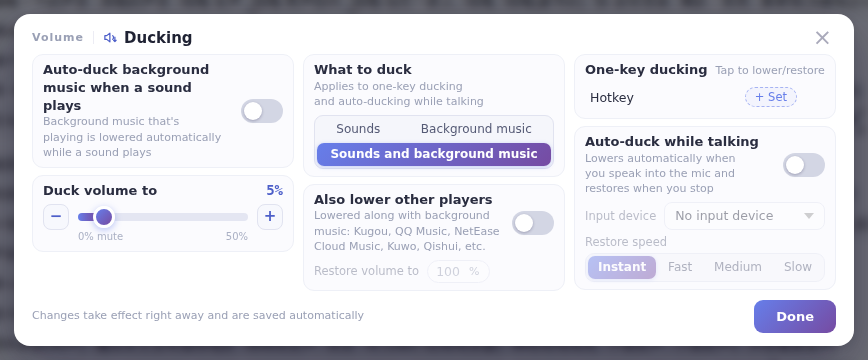
- Is ducking for sounds turned on?
- Is the ducked volume set too high? It ranges from 0% to 50%; the higher the value, the less noticeable the ducking.
- Has ducking been turned off for that particular sound? (Right-click the sound → Auto-ducking to check.)
- To lower other players such as Kugou, QQ Music or NetEase Cloud Music, turn on lowering other players.
- To duck automatically while you talk, turn on ducking while talking and choose the right input device (your microphone).
For details on each setting, see Ducking.
