
A new PC and a Windows reinstall work the same way: your settings follow your account and come back when you sign in with it. For sound files you imported yourself, export a local sound pack beforehand and import it afterwards.
Settings follow your account
Hotkeys, favorites, categories and other settings are saved to your account automatically, and come back when you sign in with the same account on the new PC.
Sound files you imported yourself
To make sure your own music also plays on the new PC, export a local sound pack on the old PC first (it packs the sound files in) and import it on the new one:
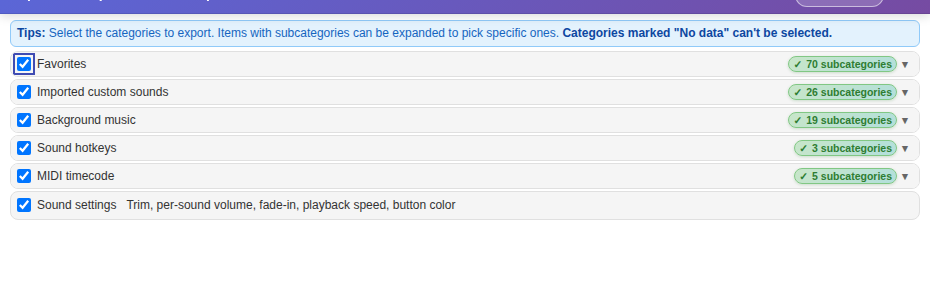
- On the old PC: Backup/Share → Export backup / sound pack, tick the categories you need, and choose a local sound pack.
- Copy the sound pack file to the new PC.
- On the new PC: after signing in, Backup/Share → Import backup / sound pack and choose the file.
TipWhen exporting, the app tells you how many files can’t be found on this PC; after you import the pack, it tries to read those files from the cloud automatically.
Before reinstalling WindowsExport a local sound pack first and copy it to a USB drive or another disk. You can see where your imported sound files are stored under ≡ in the top-right corner → Change storage location; if they’re on the system drive, they’ll be gone after reinstalling. Sign in after reinstalling and import the sound pack.
