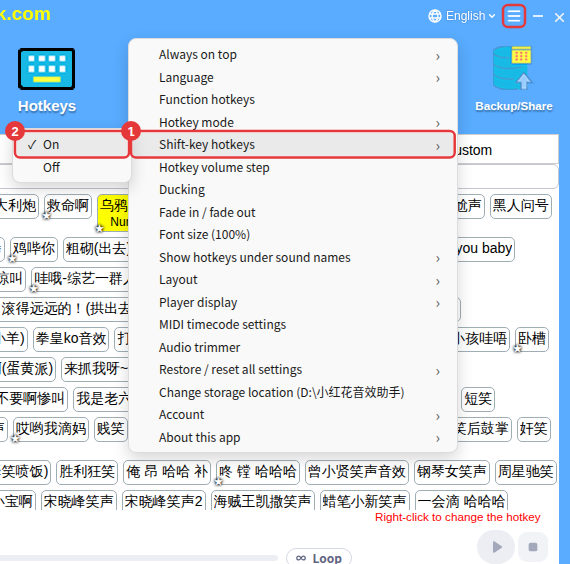
A sound’s hotkey uses Shift: change or delete the hotkey of the sound named in the message first, then turn off Shift-key hotkeys.
Why it won’t turn off
When you turn off Shift-key hotkeys while a hotkey already uses Shift, a message says the Shift key is in use and can’t be turned off — and names the sound.
What to do
- Find the sound named in the message (on the Hotkeys page, or search for its name).
- Right-click it and Set hotkey again with a combination without Shift, or delete its hotkey.
- Then go to ≡ in the top-right corner → Shift-key hotkeys and choose Off.