
Give frequently used or important sounds a different button color so you can spot them instantly on stream.
Steps
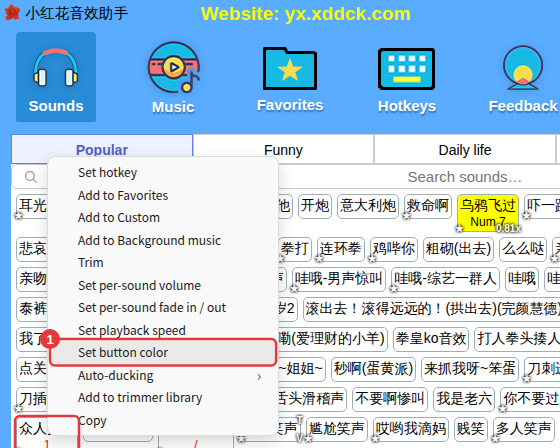
- Right-click a sound and choose Set button color. Select several sounds first and right-click to change them all at once.
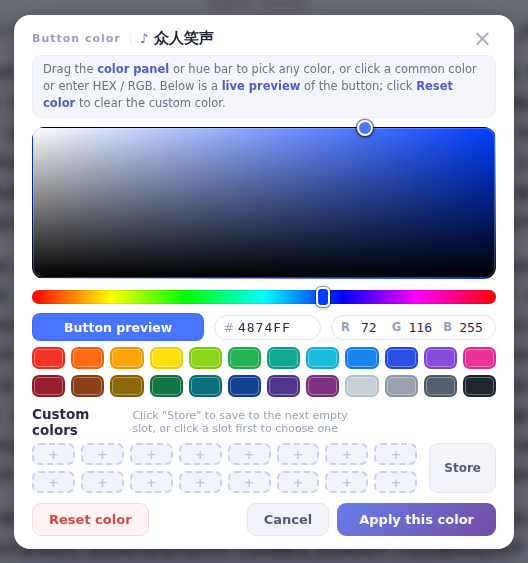
- Pick a color on the color panel or the hue bar, click a common color, or enter a HEX / RGB value; Button preview shows the result live.
- Click Apply this color.
Back to the default color
Right-click the sound and choose Delete button color, or click Reset color in the window. Click Store to save a color you use often under Custom colors so you can click it next time.
Sort by color
In Custom, Background music and Favorites, when the current category has colored buttons a Sort by color tab appears in front of the category tabs. Click it to group sounds of the same color together.
