
Too many sounds to find the one you want? Type a keyword in the search box above the sounds. Built-in sound names are in Chinese, so you can search by Chinese characters, pinyin or pinyin initials — and it still finds them when your pinyin isn’t exact or you only remember part of the name.
The search box sits above the sound buttons and reads “Search sounds…”. Click it and start typing.
Many ways to find a sound
- Chinese characters: for example 掌声 (applause).
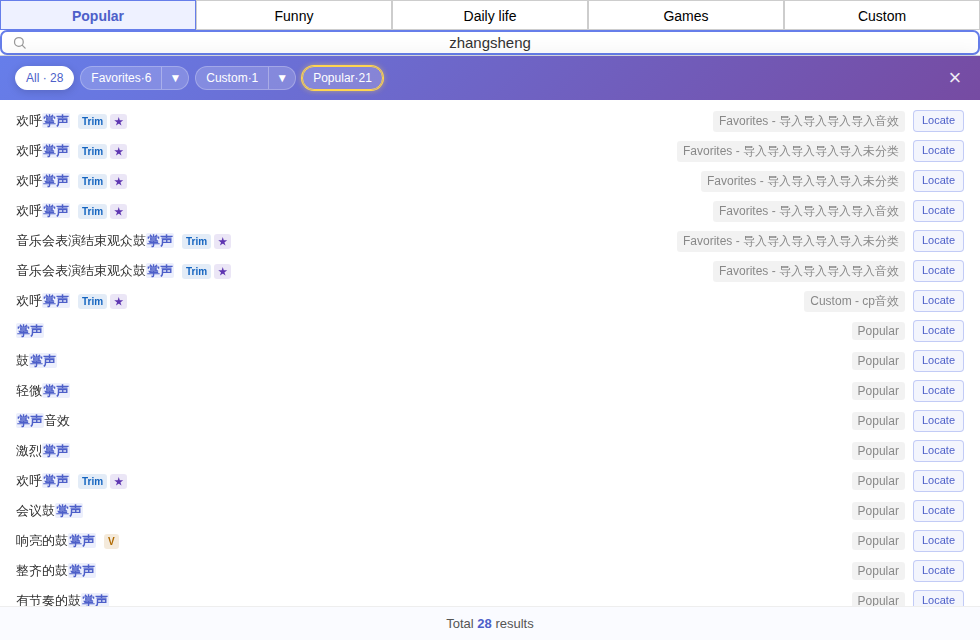
- Full pinyin: for example zhangsheng — no need to switch input methods.
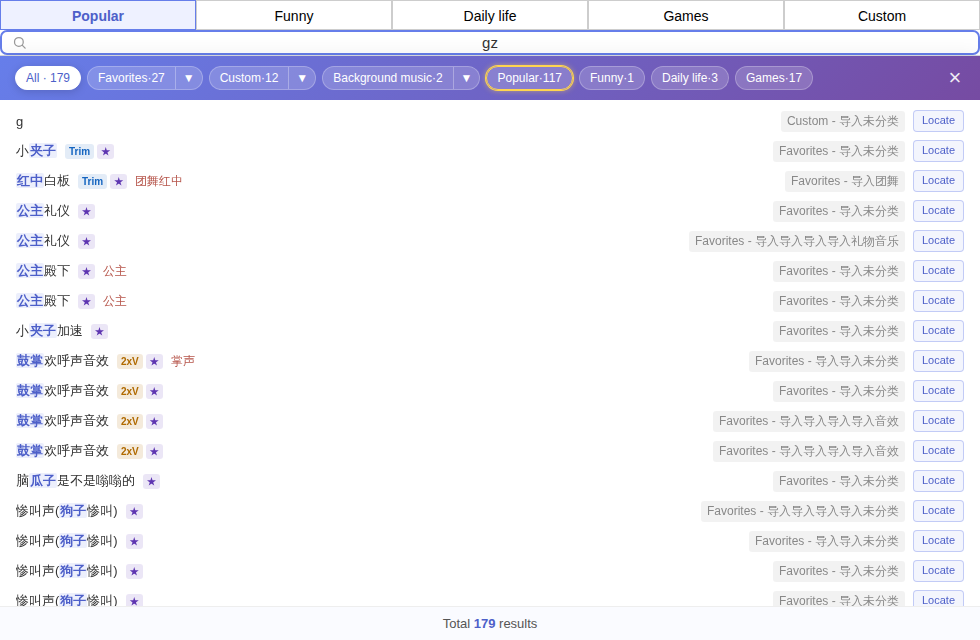
- Pinyin initials: for example gz finds 鼓掌欢呼声音效 and 公主礼仪.
- Characters with several readings: other readings count too — for 调皮, typing dp or diaopi also finds it (调 can also be read diào).
- Inexact pinyin: mixing up z/zh, c/ch, s/sh, n/l, r/l, f/h or an/ang, en/eng, in/ing still finds the sound.
- A typo or two: for longer names, one or two wrong characters still find similar sounds; for sounds with English names, a misspelled letter or two still matches (type at least 4 letters).
- Traditional characters, full-width input: traditional and simplified characters find each other, and full-width letters and digits are converted automatically.
- Several keywords: separate them with spaces to find sounds that contain all of them.
Using the results
- The top of the results shows All and a count for each category; click one to see only that category.
- Click a sound in the results to play it; right-click opens the same menu as usual.
- To see which category a sound is in, click Locate in the results and you’ll jump to where it lives.
- Clear the search box, or click × on the right of the filter bar, to go back to the page you were on.
Can’t find it?Try another keyword. If the sound really isn’t there, click Report a missing sound to tell us — see Sound feedback and suggestions.
