
Fade in: the sound starts quietly and gradually gets louder. Fade out: it gradually gets quieter until it ends. You can set this for a single sound.
Steps
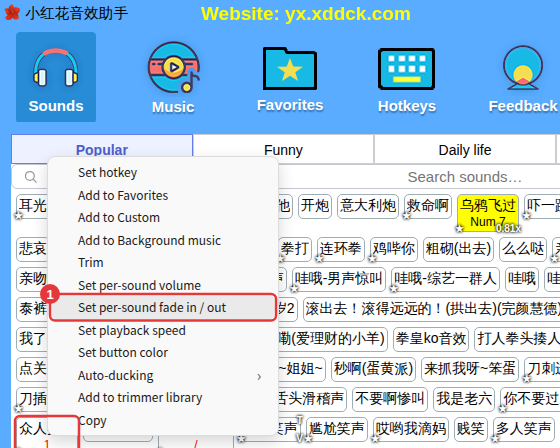
- Right-click a sound and choose Set per-sound fade in / out.
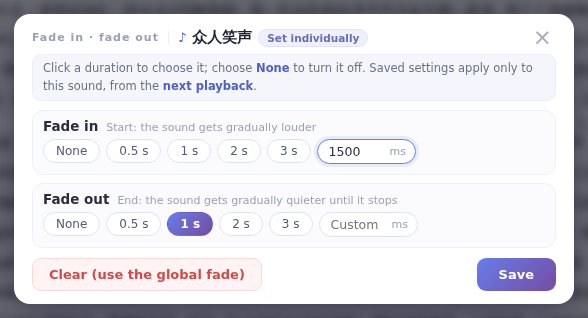
- On the Fade in and Fade out rows, click a length (0.5 s, 1 s, 2 s, 3 s), or enter milliseconds under Custom (1 s = 1000 ms); None turns it off.
- Click Save — it takes effect from the next playback.
Remove it
Click Clear (use the global fade) in the window, or right-click the sound and choose Delete per-sound fade in / out. The sound then follows the global fade in/out setting.
