
Auto-ducking is on, but some sounds — like a short notification sound — shouldn’t lower the background music? Turn off ducking for that sound only.
Steps
- Right-click the sound and hover over Auto-ducking.
- In the submenu, choose Don’t duck.
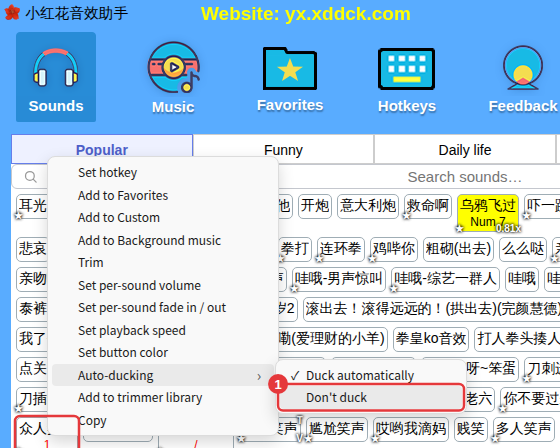
From then on the background music isn’t lowered when this sound plays. To undo it, choose Duck automatically in the same place.
Want to turn it all off?Turn off ducking for sounds in Ducking. See Ducking.
