
Some sounds too loud, others too quiet? Give a sound its own volume, from 1% to 400%, without affecting the others.
Steps
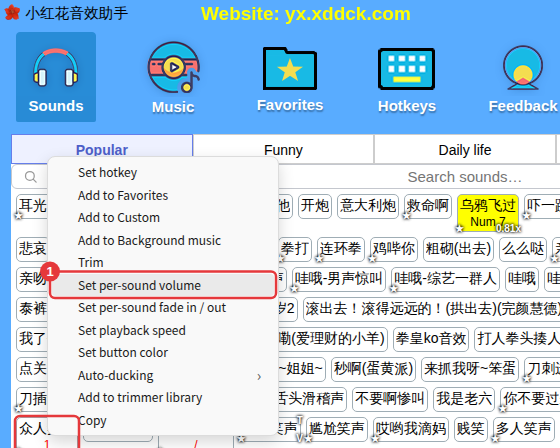
- Right-click a sound and choose Set per-sound volume.
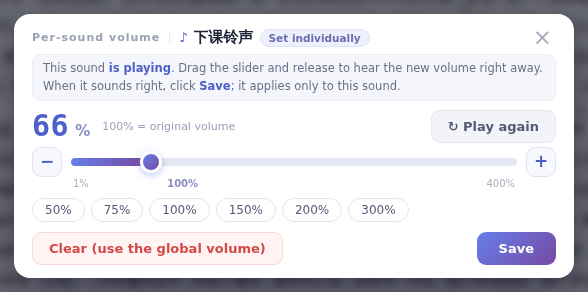
- The sound starts playing as the window opens. Drag the slider and release to hear the new volume right away, or click 50%, 75%, 100%, 150%, 200% or 300%.
- When you’re happy, click Save.
NoteAnything above 100% amplifies the sound; too much can make it distort.
Back to the original volume
Click Clear (use the global volume) in the window, or right-click the sound and choose Delete per-sound volume. Sounds with their own volume show a small badge on their button, and while one plays a small per-sound volume tag appears next to its name in the player — click it to open this window directly.
