
The interface is available in 19 languages, and you can switch at any time.
Steps
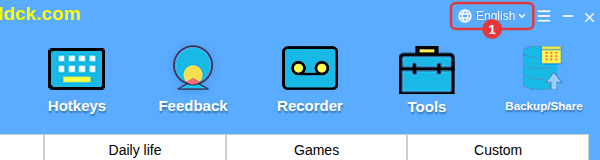
- Click the language drop-down on the right of the title bar (it shows the current language); you can also switch under ≡ in the top-right corner → Language.
- Choose a language from the list — the interface changes right away.
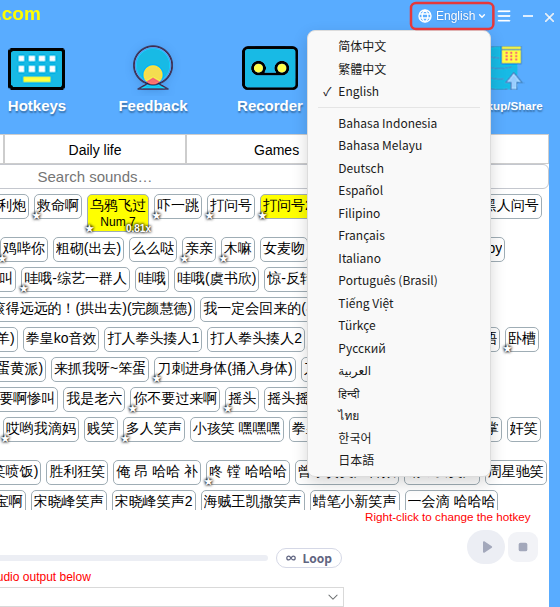
Supported languages: 简体中文, 繁體中文, English, Bahasa Indonesia, Bahasa Melayu, Deutsch, Español, Filipino, Français, Italiano, Português (Brasil), Tiếng Việt, Türkçe, Русский, العربية, हिन्दी, ไทย, 한국어, 日本語.
TipEach language is shown in its own script. If you switch to a language you can’t read, find the language drop-down in the same place and choose English to switch back.
