
Make a sound play faster or slower — from 0.25x to 2.0x — without changing its pitch.
Steps
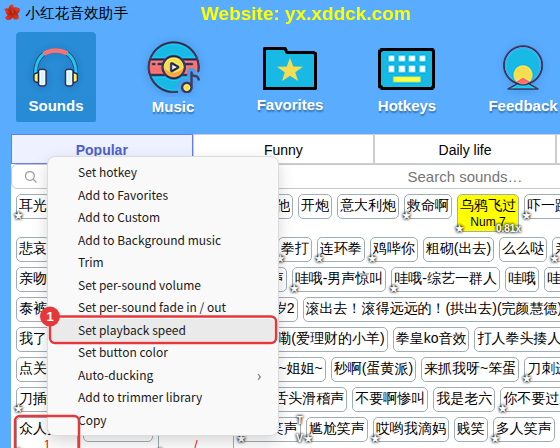
- Right-click a sound and choose Set playback speed.
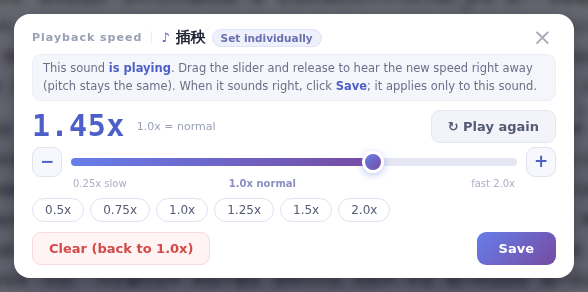
- The sound starts playing as the window opens. Drag the slider and release to hear the new speed right away, or click 0.5x, 0.75x, 1.0x, 1.25x, 1.5x or 2.0x below it.
- Click Play again if you missed it. When you’re happy, click Save — it applies only to this sound.
Back to normal speed
Click Clear (back to 1.0x) in the window, or right-click the sound and choose Delete playback speed. Sounds with a speed set show a small badge with the speed (such as 1.45x) on their button.
