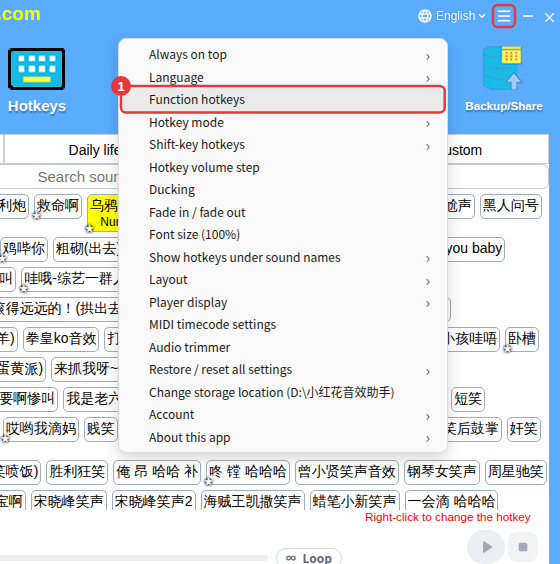
Besides hotkeys for sounds, you can set hotkeys for stopping, pausing, changing volume and switching tracks — so you never need the mouse on stream.
Set function hotkeys
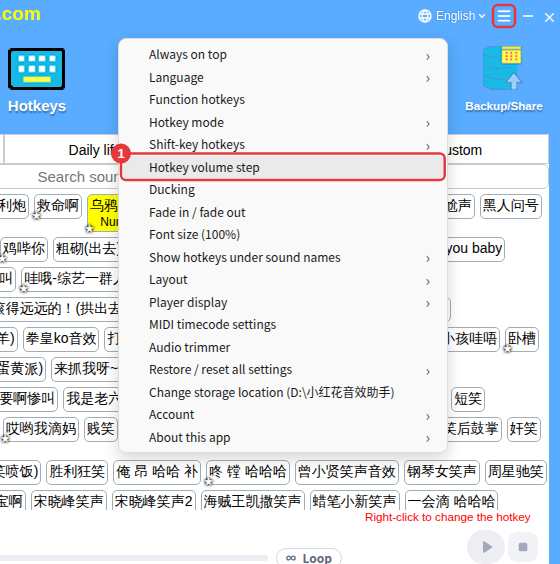
- Click ≡ in the top-right corner and choose Function hotkeys.
- In the window, click + Set next to a function and press the key you want; click × to clear it.
- Changes take effect right away and are saved automatically.
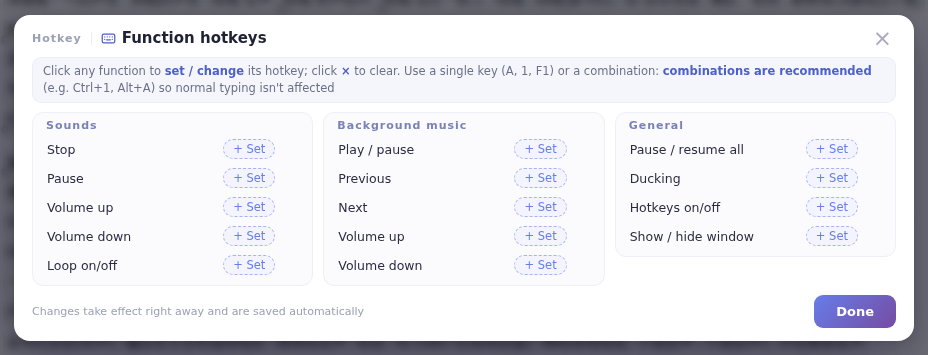
The functions come in three groups:
- Sounds: stop, pause, volume up, volume down, loop on/off.
- Background music: play/pause, previous, next, volume up, volume down.
- General: pause/resume all, ducking, hotkeys on/off (turns all sound hotkeys on or off at once), show/hide window.
NoteFunction hotkeys are saved with the current hotkey category; the window title shows which category it is.
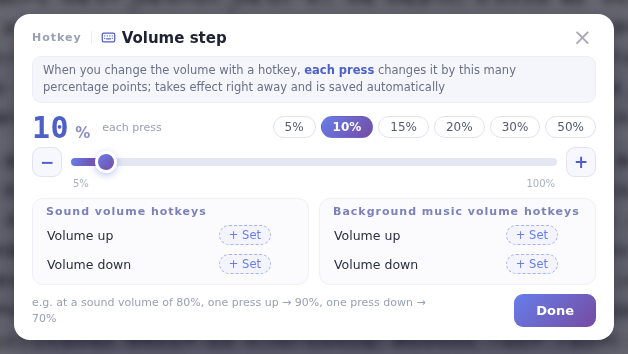
How much each press changes the volume
- Click ≡ in the top-right corner and choose Hotkey volume step.
- Choose how many percentage points each press raises or lowers the volume (5%–100%, default 10%). It takes effect right away.