
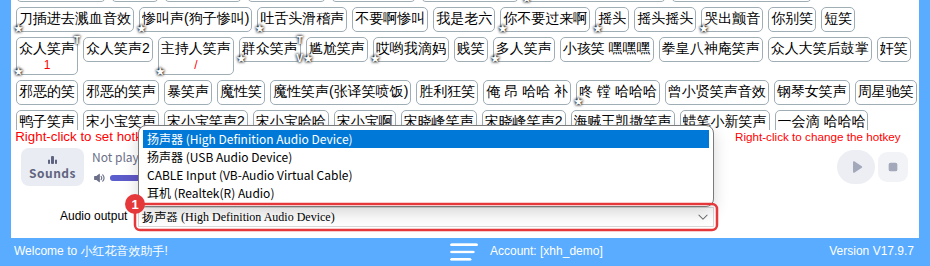
Almost every external sound card works: connect it, then choose its output device under Audio output at the bottom of the main window.
How to choose the device
- Connect the external sound card (install its driver first if it needs one).
- Open Audio output at the bottom of the main window and choose the sound card’s output device (its name usually includes the brand or model — it depends on your PC).
- Click a sound to test it and make sure you hear it in your headphones and in your streaming software.
Works for phone streaming too
Run 小红花音效助手 on a PC and use an external sound card to send the PC’s audio into the phone — your sounds reach the phone stream. See Which systems and platforms are supported?
Before you buyIf you’re not sure, ask the seller whether the sound card can send a PC’s audio into a stream. If viewers still can’t hear sounds after connecting it, see Viewers can’t hear sounds.
