
The app’s data (including imported sounds) is kept in one folder. If your C: drive is running out of space, you can move it to another drive.
Steps
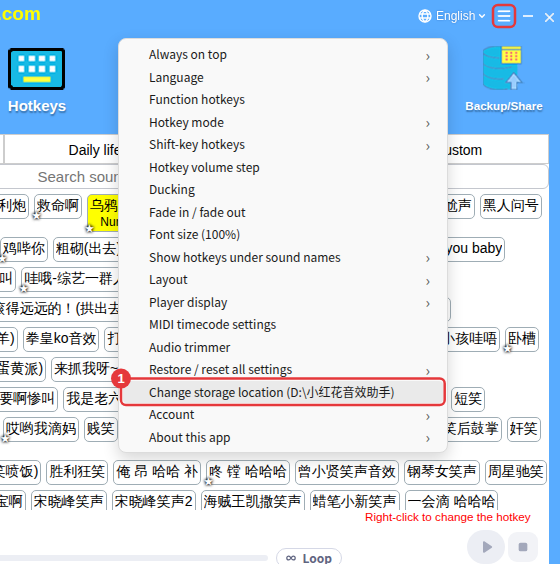
- Click ≡ in the top-right corner → Change storage location; the path in brackets is the current location.
- Choose the new folder and confirm. The app creates an xddyx folder inside it, moves the data there and restarts automatically.
NoteAvoid rare characters, emoji and other special characters in the path, or you’ll be told it can’t be used; the location needs enough free space. Don’t close the app while it’s moving the data.
